
How to Convert GB to MB: 5 Easy Methods With Examples
Have you ever downloaded a file, checked your storage space, or purchased an internet plan and wondered how many megabytes are in a gigabyte? Understanding digital storage measurements is more useful than you might think. Whether you’re managing files on your computer, checking your phone’s storage, comparing cloud storage plans, or calculating internet data usage, knowing how to convert GB to MB can make everyday technology decisions much easier.
The good news is that converting gigabytes (GB) into megabytes (MB) is simple. You only need to understand one basic formula and know when to use the decimal or binary conversion method.
In this guide, you’ll learn how to convert GB to MB, understand the difference between the two measurement systems, explore practical examples, and use a conversion chart to find answers quickly. We’ll also explain common conversion mistakes so you can work with digital storage measurements confidently.
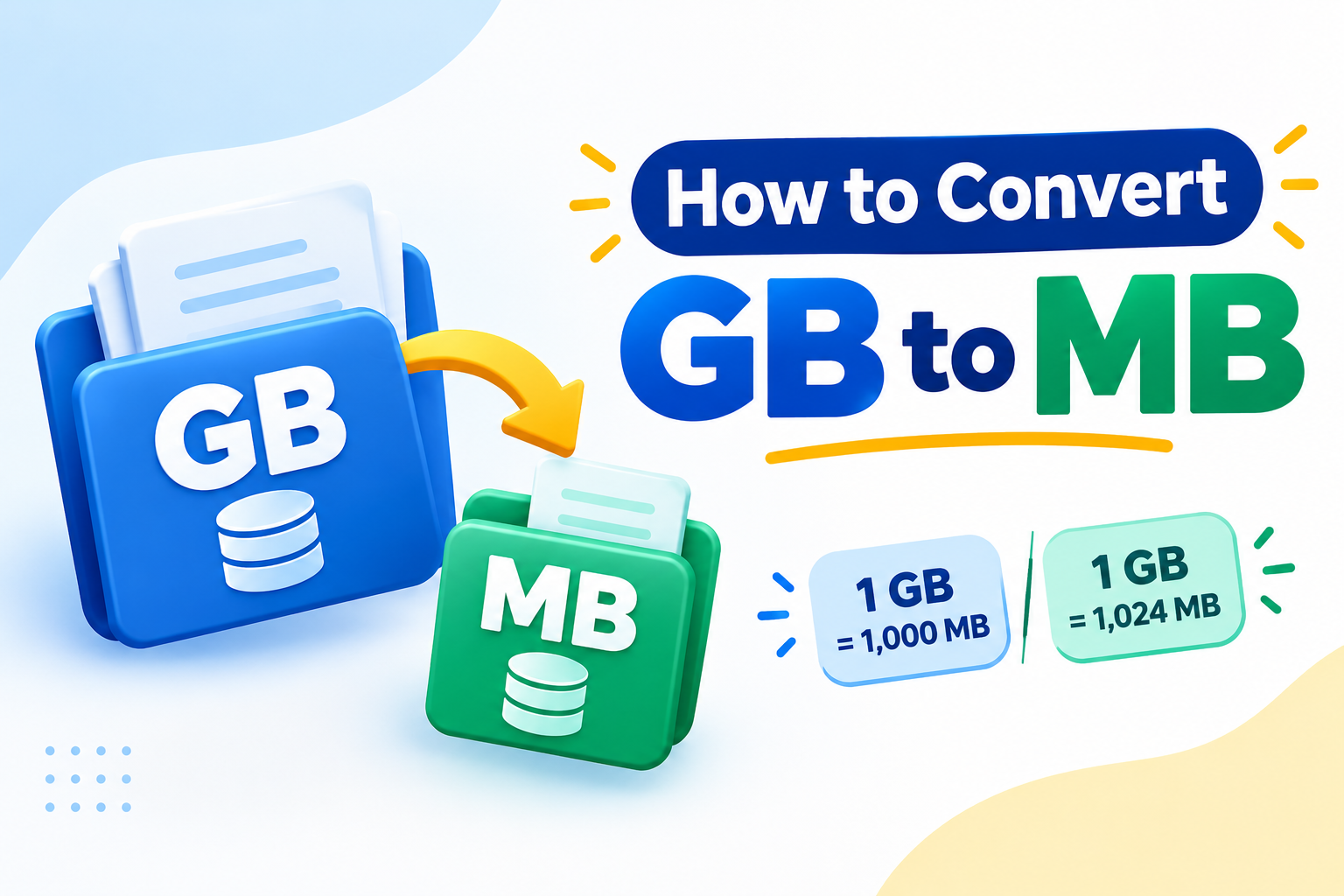
What Are GB and MB?
Before learning how to convert GB to MB, it’s helpful to understand what these two units actually represent.
Both gigabytes and megabytes are units used to measure digital information. They tell you how much data a file contains or how much storage space a device can hold.
What Is a Megabyte (MB)?
A megabyte (MB) is a digital storage measurement commonly used for documents, images, music files, and other digital content.
For example:
- A regular text document might occupy a few hundred kilobytes.
- A high-quality photograph may take up several megabytes.
- A short audio recording can occupy a few MB, depending on its quality and format.
Megabytes are particularly useful when measuring smaller files or checking how much space individual downloads require.
What Is a Gigabyte (GB)?
A gigabyte (GB) is a larger unit of digital storage. It is commonly used to describe the capacity of smartphones, computers, USB drives, memory cards, and cloud storage services.
For example:
- A smartphone might have 128 GB of internal storage.
- A laptop could come with a 512 GB SSD.
- A cloud storage subscription might offer 1 GB, 100 GB, or more.
Because a gigabyte represents a much larger amount of information than a megabyte, converting between these units helps you understand storage capacity more clearly.
How to Convert GB to MB
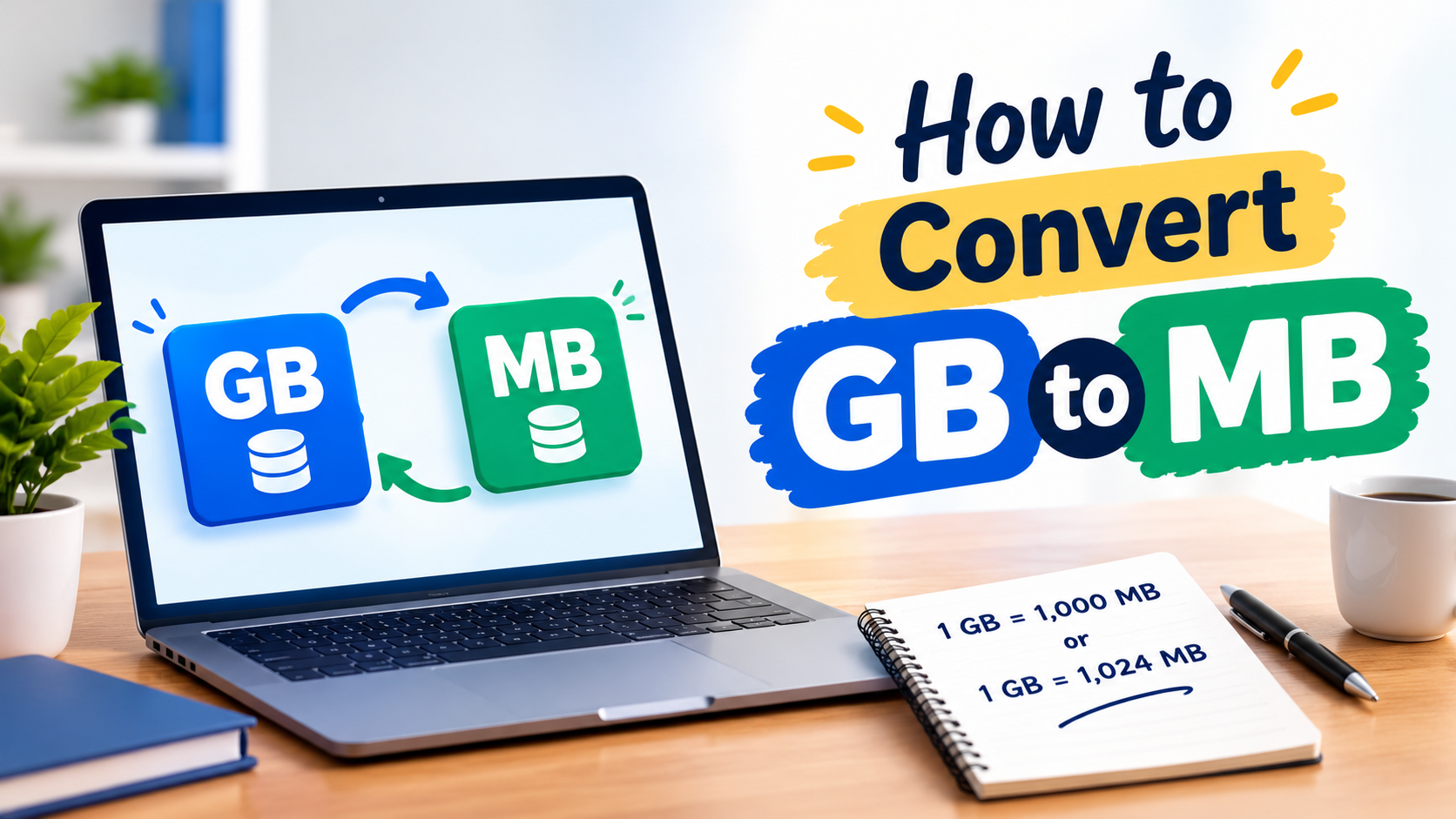
The easiest way to convert gigabytes into megabytes is to multiply the number of gigabytes by 1,000 using the decimal system.
Basic conversion:
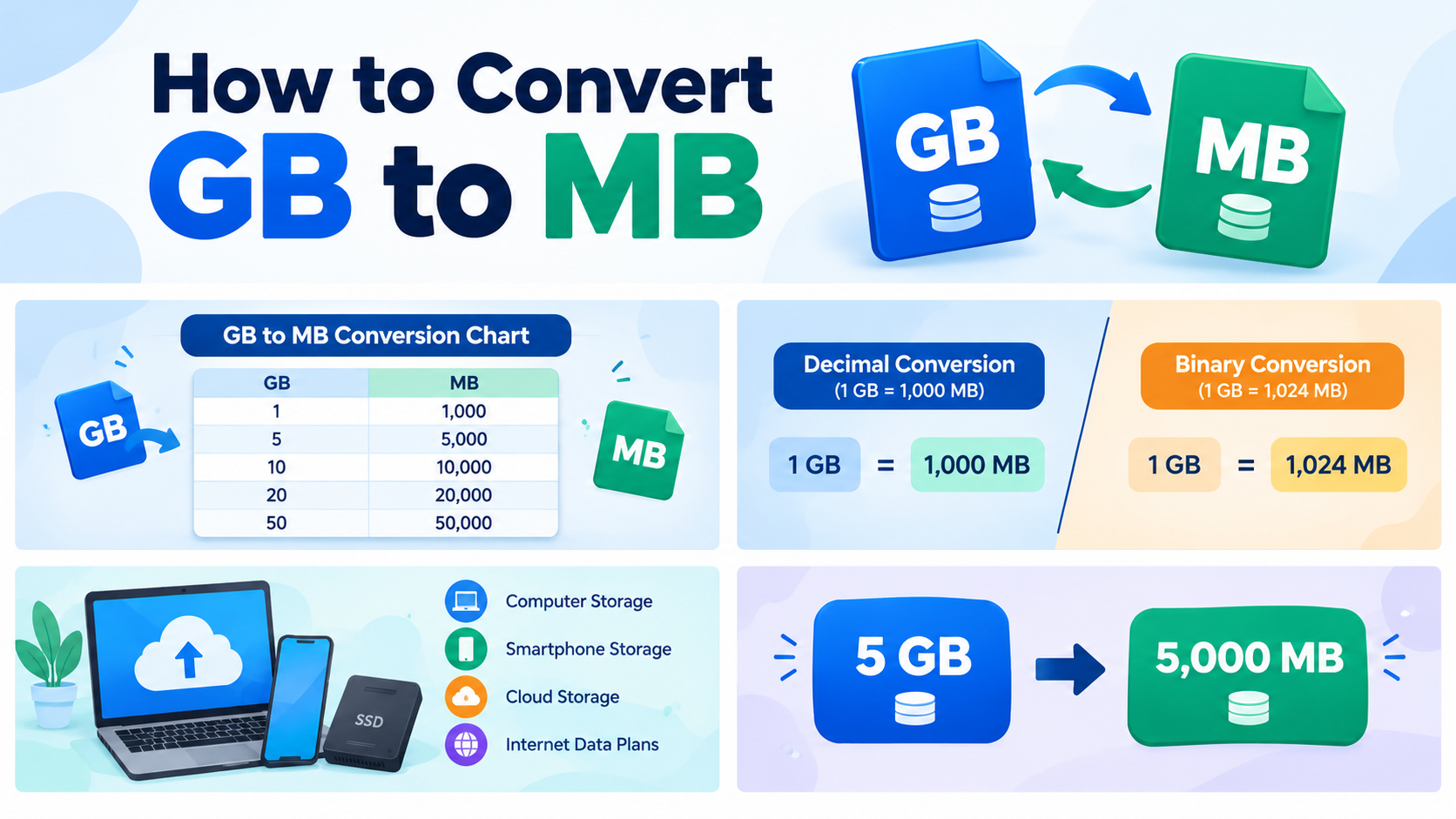
1 GB = 1,000 MB
For example, if you have 5 GB of storage, multiply 5 by 1,000.
5 × 1,000 = 5,000 MB
Therefore, 5 GB equals 5,000 MB under the decimal system.
However, there is another measurement system used in computing that defines one gigabyte as 1,024 megabytes. This is commonly encountered in binary-based calculations and older computing conventions.
Using that method:
1 GB = 1,024 MB
For example:
5 × 1,024 = 5,120 MB
Both results can be correct depending on the measurement convention being used. Understanding this difference will help you avoid confusion when checking storage capacity.
GB to MB Conversion Formula
You don’t need a calculator with advanced functions to convert gigabytes into megabytes. A simple multiplication formula is all you need.
Decimal Conversion Formula
The decimal conversion formula is:
MB = GB × 1,000
Use this formula when working with decimal storage measurements commonly used by storage manufacturers and many data plans.
Examples:
- 2 GB × 1,000 = 2,000 MB
- 4 GB × 1,000 = 4,000 MB
- 8 GB × 1,000 = 8,000 MB
- 16 GB × 1,000 = 16,000 MB
Binary-Based Conversion Formula
For binary-based calculations, use:
MB = GB × 1,024
Examples:
- 2 GB × 1,024 = 2,048 MB
- 4 GB × 1,024 = 4,096 MB
- 8 GB × 1,024 = 8,192 MB
- 16 GB × 1,024 = 16,384 MB
One important technical detail: The International Electrotechnical Commission (IEC) uses different names for binary units. Strictly speaking, 1 gibibyte (GiB) equals 1,024 mebibytes (MiB), while 1 gigabyte (GB) equals 1,000 megabytes (MB).
This distinction matters when comparing technical specifications, operating system storage displays, and advertised storage capacities.
GB to MB Conversion Examples
Let’s look at some practical examples to make the conversion process easier to understand.
Example 1: Convert 1 GB to MB
Suppose you have a file or storage allocation of 1 GB.
Using the decimal formula:
1 × 1,000 = 1,000 MB
Answer: 1 GB = 1,000 MB
Using the binary-based formula, the result is 1,024 MB.
Example 2: Convert 2 GB to MB
Imagine you have a 2 GB video file.
Decimal calculation:
2 × 1,000 = 2,000 MB
Binary-based calculation:
2 × 1,024 = 2,048 MB
Answer: 2 GB = 2,000 MB (decimal).
Example 3: Convert 5 GB to MB
If your device has 5 GB of available storage, you can calculate the equivalent megabytes like this:
5 × 1,000 = 5,000 MB
Using the binary-based system:
5 × 1,024 = 5,120 MB
Answer: 5 GB = 5,000 MB (decimal).
Example 4: Convert 10 GB to MB
Let’s say your internet plan provides 10 GB of monthly data.
Using decimal conversion:
10 × 1,000 = 10,000 MB
Using binary-based conversion:
10 × 1,024 = 10,240 MB
Answer: 10 GB = 10,000 MB (decimal).
Example 5: Convert 20 GB to MB
For a 20 GB storage allocation:
20 × 1,000 = 20,000 MB
Using the binary-based calculation:
20 × 1,024 = 20,480 MB
Answer: 20 GB = 20,000 MB (decimal).
Example 6: Convert 50 GB to MB
For a larger storage amount:
50 × 1,000 = 50,000 MB
Binary-based calculation:
50 × 1,024 = 51,200 MB
Answer: 50 GB = 50,000 MB (decimal).
These examples show that the conversion process stays the same regardless of the amount. Simply multiply the number of gigabytes by the correct conversion factor.
GB to MB Conversion Chart
If you frequently work with digital storage measurements, a conversion chart can save you time. Instead of calculating every value manually, you can find the equivalent measurement in seconds.
The following chart uses the decimal system, where 1 GB equals 1,000 MB.
| Gigabytes (GB) | Megabytes (MB) |
|---|---|
| 0.5 GB | 500 MB |
| 1 GB | 1,000 MB |
| 2 GB | 2,000 MB |
| 3 GB | 3,000 MB |
| 4 GB | 4,000 MB |
| 5 GB | 5,000 MB |
| 10 GB | 10,000 MB |
| 15 GB | 15,000 MB |
| 20 GB | 20,000 MB |
| 25 GB | 25,000 MB |
| 30 GB | 30,000 MB |
| 40 GB | 40,000 MB |
| 50 GB | 50,000 MB |
| 64 GB | 64,000 MB |
| 100 GB | 100,000 MB |
| 128 GB | 128,000 MB |
| 256 GB | 256,000 MB |
| 500 GB | 500,000 MB |
| 512 GB | 512,000 MB |
| 1,000 GB | 1,000,000 MB |
How to Read the Conversion Chart
The first column shows the storage amount in gigabytes, while the second column displays its equivalent in megabytes.
For instance, if you want to convert 64 GB into MB, find 64 GB in the first column. Its equivalent is 64,000 MB.
Remember that this chart uses decimal conversion. If you need binary-based results, multiply each GB value by 1,024 instead.
Decimal vs. Binary Conversion
One of the most common sources of confusion in digital storage is the difference between decimal and binary measurements.
Both systems measure digital information, but they use different conversion factors.
Decimal System (1,000 MB = 1 GB)
The decimal system is based on powers of 10. It is widely used by storage manufacturers, hard drive companies, and many internet service providers.
In this system:
- 1 GB = 1,000 MB
- 10 GB = 10,000 MB
- 100 GB = 100,000 MB
- 1 TB = 1,000 GB
This method makes calculations straightforward and is commonly used in product specifications.
Binary System (1,024 MiB = 1 GiB)
Computers process information using binary numbers, which are based on powers of two.
In the binary system:
- 1 GiB = 1,024 MiB
- 2 GiB = 2,048 MiB
- 10 GiB = 10,240 MiB
- 100 GiB = 102,400 MiB
Although many people informally describe these values as GB and MB, the technically correct binary unit names are GiB and MiB.
Why Do Both Systems Matter?
Imagine purchasing a storage drive advertised as 500 GB. After connecting it to your computer, the available capacity may appear smaller than expected.
This does not necessarily mean your drive is defective or missing data. The difference may come from how the manufacturer and operating system display storage measurements. Formatting and system files can also reduce the usable capacity.
Understanding decimal and binary measurements helps explain why two devices may display different numbers for the same storage capacity.
Where Is GB to MB Conversion Used?
Knowing how to convert GB to MB is useful in several everyday situations.
1. Checking Computer Storage
When purchasing a laptop or desktop computer, you may compare different SSD or hard drive capacities.
Converting gigabytes into megabytes can help you understand storage allocations and estimate how much space is available for individual files.
2. Managing Smartphone Storage
Smartphones store photographs, applications, videos, and downloaded documents. Knowing the relationship between GB and MB makes it easier to estimate how much space these files consume.
For example, if an application requires 2 GB of storage, that equals 2,000 MB using decimal conversion.
3. Understanding Internet Data Plans
Mobile networks and internet providers often advertise monthly data allowances in gigabytes.
Converting those allowances into megabytes can help you estimate how much data you have available for browsing, downloading, streaming, and other online activities.
Keep in mind that actual data consumption depends on the websites, applications, video quality, and network activity involved.
4. Uploading and Downloading Files
Some websites limit uploads by file size. You might be allowed to upload a document up to 50 MB or a video up to 1 GB.
Converting between GB and MB helps you check whether a file meets the upload requirements before submitting it.
5. Managing Cloud Storage
Cloud storage services offer different plans based on storage capacity. Understanding the conversion between gigabytes and megabytes makes it easier to compare plans and manage stored files.
Convert GB to MB Online
Although manual conversion is easy, an online converter can save time when you need quick results or regularly work with different storage values.
An online GB to MB calculator lets you enter a value and calculate its equivalent without manually multiplying numbers.
This is especially useful when:
- You need to convert several storage values.
- You are comparing cloud storage plans.
- You are checking file sizes.
- You want to avoid calculation mistakes.
- You need a quick result while working.
For related conversions, you can also use our MB to GB Converter. It helps you convert megabytes back into gigabytes whenever you need to work in the opposite direction.
If you regularly prepare website content or technical guides, our Word Counter can help you check article length before publishing. You can also use the Sentence Counter to review sentence counts and improve your content structure.
Common GB to MB Conversion Mistakes
Even though the calculation is straightforward, a few common mistakes can lead to incorrect results.
1. Mixing Decimal and Binary Conversion
The most common mistake is assuming that every GB to MB calculation uses 1,024.
The decimal system uses 1,000, while binary-based calculations use 1,024 for GiB-to-MiB conversion.
Always check which measurement system your task requires.
2. Multiplying Instead of Dividing in the Wrong Direction
When converting GB to MB, you multiply by the conversion factor.
When converting MB to GB, you divide by the conversion factor.
For example:
- GB to MB: 5 × 1,000 = 5,000 MB.
- MB to GB: 5,000 ÷ 1,000 = 5 GB.
Using the wrong mathematical operation will produce an incorrect result.
3. Forgetting the Unit
A calculation is not complete until you identify the measurement unit.
Writing 5,000 without specifying MB can create confusion, particularly when comparing different storage values.
Always include the correct unit after your answer.
4. Confusing Storage With Internet Speed
GB and MB measure data quantity, not internet speed.
Internet speed is commonly measured in Mbps (megabits per second), while file sizes are usually measured in MB or GB.
Also remember that one byte contains eight bits. Therefore, MB and Mbps are not interchangeable.
Frequently Asked Questions
1. How many MB are in 1 GB?
In the decimal system, 1 GB equals 1,000 MB. In binary-based measurements, 1 GiB equals 1,024 MiB. The correct answer depends on the measurement system being used.
2. How do I convert GB to MB quickly?
Multiply the number of gigabytes by 1,000 for decimal conversion. For example, 7 GB × 1,000 = 7,000 MB.
3. Is 1 GB equal to 1,024 MB or 1,000 MB?
Technically, 1 GB equals 1,000 MB under the decimal system. The binary equivalent is 1 GiB = 1,024 MiB. Many people use GB and MB informally for both systems, which causes confusion.
4. How many MB are in 5 GB?
Five gigabytes equal 5,000 MB using decimal conversion. Using the binary-based calculation, 5 GiB equals 5,120 MiB.
5. How many MB are in 10 GB?
10 GB equals 10,000 MB in the decimal system. Under binary-based conversion, 10 GiB equals 10,240 MiB.
6. How many MB are in 100 GB?
100 GB equals 100,000 MB using the decimal conversion method. The binary equivalent of 100 GiB is 102,400 MiB.
7. Why does my computer show less storage than advertised?
Storage manufacturers generally advertise capacity using decimal measurements, while some operating systems display storage using binary-based calculations or different unit labels. Formatting and system files may also reduce usable capacity.
8. Can I convert MB back to GB?
Yes. Divide the number of megabytes by 1,000 for decimal conversion or use the appropriate binary conversion when working with MiB and GiB.
9. Is GB bigger than MB?
Yes. A gigabyte is a larger unit than a megabyte. One decimal gigabyte contains 1,000 megabytes.
10. What is the difference between MB and Mbps?
MB stands for megabyte, a unit used to measure file size and data quantity. Mbps stands for megabits per second, a unit used to measure data transfer speed. One byte contains eight bits, so these units measure different things.
Final Thoughts
Converting gigabytes into megabytes is a simple calculation once you understand the difference between decimal and binary measurements.
For standard decimal conversion, multiply the number of gigabytes by 1,000. If you are working with binary-based units, use 1,024 for GiB-to-MiB conversion.
Whether you are checking computer storage, managing smartphone files, comparing internet data plans, or uploading documents, understanding these measurements can help you make better decisions.
If you need to convert storage values regularly, keep the formulas and conversion chart handy. And whenever you want a faster calculation, use an online conversion tool to get your answer in seconds.